
By Abdi • february 7, 2026
Intro
If you are building a side hustle in 2026, you probably do not have extra time, money, or patience for complicated tools. You want something simple that lets you collect email subscribers, follow up with them, and make offers without needing a full website or expensive software.
Disclosure: This post contains affiliate links. If you sign up for Systeme.io through my link, I may earn a small commission at no extra cost to you. I only recommend tools I personally use or truly believe can help side hustlers grow faster.
A free landing page with Systeme.io gives you exactly that: one clean page where people can join your email list, plus the tools behind it to send emails and build basic automation. In this guide, I will walk you through the whole process step by step so you can go from “no page” to “live landing page” in a single afternoon.
What a landing page actually does for your side hustle
A landing page is not just another web page. It has one clear job: to turn visitors into leads or customers. Instead of sending people to a busy homepage with many links, you send them to a focused page with one offer and one call to action.
For side hustlers, that call to action is usually:
- Join your email list for a free guide, checklist, or mini‑training
- Register for a free workshop or webinar
- Claim a discount or exclusive offer
When someone gives you their email address, you are no longer at the mercy of algorithms or social media reach. You can reach them directly with useful emails and occasional offers. That is why email‑focused landing pages are still one of the most effective ways to grow a side hustle today.
Why Systeme.io is a smart choice for a free landing page
There are many landing page builders, but most beginners run into the same problems: either the tool is too expensive, or it is so complex that they never publish anything. Systeme.io solves both of these problems for side hustlers.
With the free plan you can:
- Build landing pages using a drag‑and‑drop editor
- Create simple thank‑you pages connected to your landing page
- Collect up to 2,000 contacts and store them in your account
- Send email campaigns and basic automated sequences from the same place
The big advantage is that everything is in one tool: no need to glue together a page builder, an email service, and an automation tool. For a busy side hustler, this reduces tech stress and makes it much easier to stay consistent.
Step 1: Create your free Systeme.io account
Before you can build anything, you need an account.
- Visit the Systeme.io sign‑up page.
- Enter your email address and create a password.
- Confirm your email if asked, then log in to your dashboard.
Inside the dashboard you will see a simple top menu with options like “Funnels”, “Emails”, “Contacts”, “Blogs”, and more. For this guide, we will focus on Funnels and Emails, because that is where your landing page and follow‑up messages live.
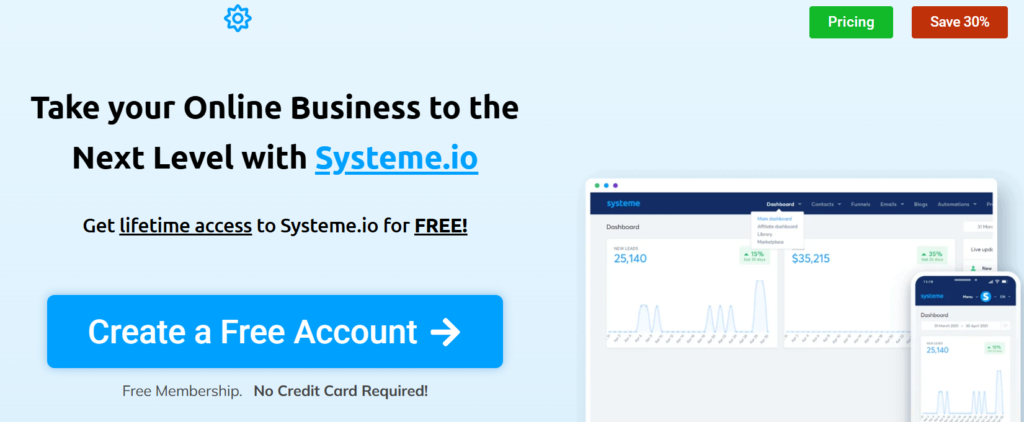
Ready to follow along step by step?
Click here to create your free Systeme.io account and open your dashboard in a new tab while you read this guide.
Step 2: Create a new funnel for your landing page
In Systeme.io, a “funnel” is a collection of pages that work together. For a basic lead capture setup, you typically have two pages: the landing page (also called a squeeze page) and a thank‑you page your visitor sees after they subscribe.
To create your first funnel:
- Click “Funnels” in the top menu.
- Click the “Create” button.
- Give your funnel a name, like “Side Hustle Email List” or “Free Side Hustle Checklist”.
- Choose the goal “Build an audience”.
- Select your currency.
- Click “Save”.
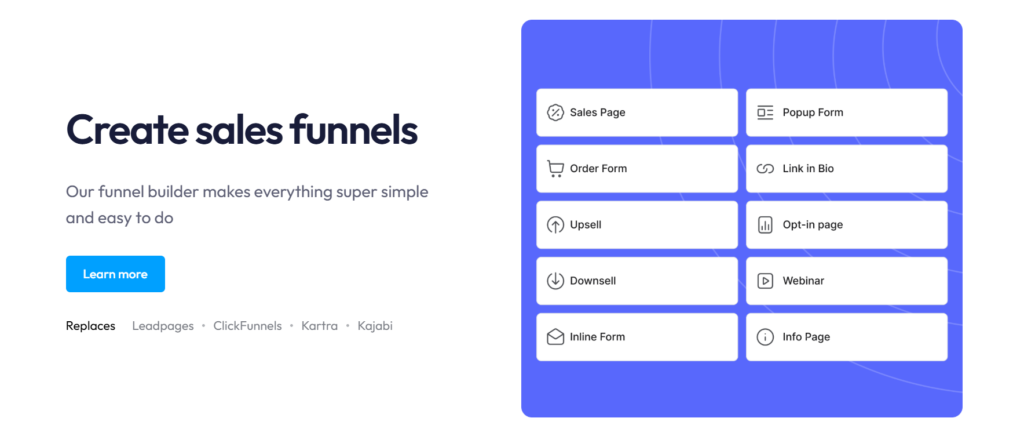
That is all you need to start building your free landing page with Systeme.io.
Step 3: Choose a simple template for your free landing page with Systeme.io
Next, click on the squeeze page step inside your funnel. You will see a library of templates—some are more visual, others are very minimal.
When you are just starting, choose a clean, simple template that includes:
- A main headline
- Some text area for description or bullet points
- An email form with a clear button
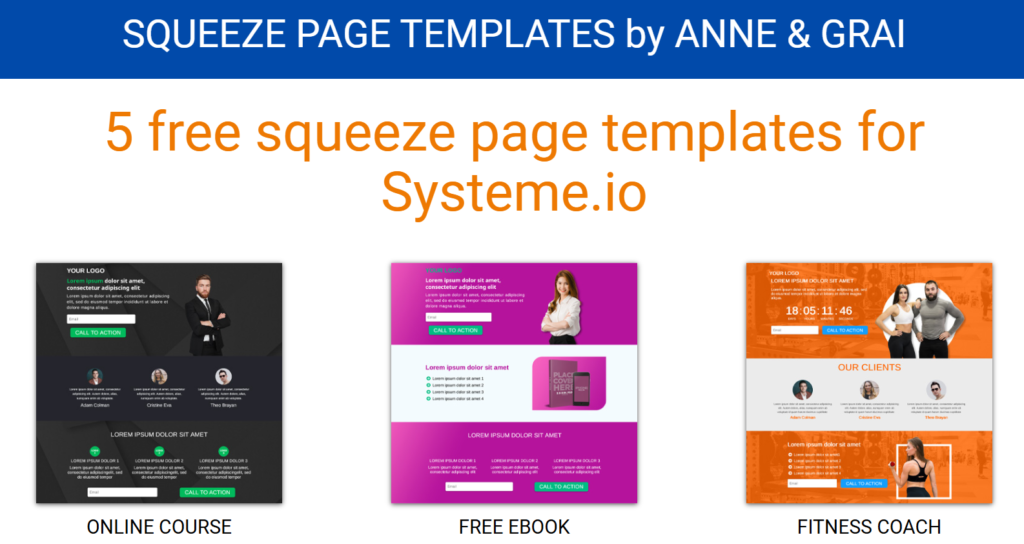
A simple layout tends to perform better for lead generation because it removes distractions and keeps visitors focused on the one action you want: entering their email.
Once you find a template you like, click “Select”, then give the page a name like “Free Checklist Landing Page” and click “Save” to open the editor.
A free landing page with Systeme.io lets you capture emails without paying for hosting or extra tools.
Step 4: Edit your landing page text so it speaks to side hustlers
Now you are inside the drag‑and‑drop editor. This is where your landing page turns from a generic template into a page that actually converts.
make one clear promise
Your headline should answer the visitor’s question: “What do I get if I give you my email?” Instead of something vague like “Join my newsletter”, use a concrete promise.
For example:
- “Get the 5‑step checklist to launch your first profitable side hustle funnel”
- “Learn how to grow your email list while working a full‑time job”
- “Copy my simple system for turning followers into email subscribers in 7 days”
Try to include the word “free” if you are offering a free resource, and keep the headline easy to understand at a glance.
Add one or two sentences of context
Use a short subheadline under your main heading to explain who the offer is for and why it matters.
Example:
Perfect for busy side hustlers who want to build an email list, send simple campaigns, and start earning online income without complicated tools.
This line helps visitors quickly decide if the offer is meant for them.
Show what is inside
Below the form or near it, add 3–5 bullet points showing what subscribers will receive.
For example:
- Short, actionable emails focused on real side hustle examples.
- Templates and copy‑and‑paste scripts you can adapt in minutes.
- Beginner‑friendly tutorials using a free landing page with Systeme.io.
- Honest lessons from growing an email list on a low budget.
These details make your offer feel more concrete and valuable than a generic newsletter.
Tell them exactly what happens
Your button text should feel like a continuation of the action they are taking.
Instead of “Submit” or “Send”, use:
- “Send me the free checklist”
- “Email me the guide”
- “Start my free side hustle training”
You can also add a small reassurance line under the button, such as “No spam, unsubscribe anytime.”
Include your focus phrase naturally once here, for example:
This free landing page with Systeme.io is the easiest way to start growing your email list without paying for expensive tools.
Step 5: Connect the form to your email list and tags
A landing page without a working email setup is just a nice design. You want every new subscriber to go into a list and trigger your welcome sequence automatically.
First, create a simple structure:
- Go to “Contacts” → “Tags” and create a tag like “Side Hustle Landing Page”.
- Go to “Emails” → “Campaigns” and create a campaign called “Welcome Series – Side Hustle”.
Then, link everything together:
- Go back to your funnel and open the squeeze page settings.
- Click on “Automation rules”.
- Add a rule: When “Funnel step form subscribed” → “Add tag” and choose “Side Hustle Landing Page”.
- Add one more action: “Subscribe to campaign” and choose “Welcome Series – Side Hustle”.
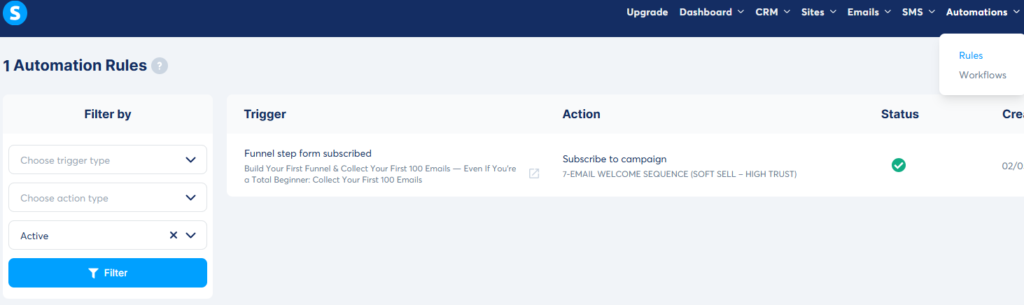
Now, each time someone uses your free landing page with Systeme.io, they will automatically be tagged and placed into your welcome campaign.
Step 6: Write a simple 3‑email welcome sequence
You do not need a long, complicated funnel. For most side hustlers, a short, honest 3‑email sequence can already build trust and lead to your first sales or clients.
Email 1 – Deliver what you promised
- Subject: “Here’s your free checklist 🎁”
- Goal: Deliver the free resource and set expectations.
In this email:
- Thank them for joining.
- Link to the guide/checklist/training you promised on the landing page.
- Remind them briefly who you are and what your side hustle helps people with.
- Tell them to reply or whitelist your email so future messages do not go to spam.
Email 2 – Share your story and one valuable lesson
- Subject: “How I started my side hustle (the honest version)”
- Goal: Build connection and authority.
In this email:
- Tell a short story about how and why you started your side hustle.
- Share one mistake you made, such as waiting too long to build an email list.
- Explain what changed when you started using a system for landing pages and email.
- Promise that tomorrow’s email will show them a simple next step they can take.
Email 3 – Invite them to a clear next step
- Subject: “Ready to take the next step?”
- Goal: Present a low‑friction next action.
Depending on your side hustle, the next step might be:
- Book a short call with you
- Buy a small digital product
- Join a workshop or mini‑course
Even if you do not have a product yet, you can encourage people to reply with their biggest question. Those replies will give you ideas for future offers and content.
Step 7: Publish and test your free landing page with Systeme.io
Before you send traffic to your new landing page, take a few minutes to test everything from the visitor’s point of view.
- Click “Save” in the editor and then “Preview” to see your page live.
- Check how it looks on desktop and mobile. Make sure the headline and form are visible without much scrolling.
- Enter one of your own email addresses and submit the form.
Then, confirm that:
- Your email appears in the Contacts area with the correct tag.
- The first welcome email arrives in your inbox.
- The next emails in the sequence are scheduled correctly.
Fix any issues now before you send real visitors.
How to start sending traffic to your landing page
Once your free landing page with Systeme.io is live and working, your next job is to get people to it consistently. You do not need paid ads to begin; you can use the platforms you already have.
Here are some simple ideas:
- Add the landing page link in your Instagram, TikTok, Facebook, or X bio.
- Mention the free resource at the end of your short‑form videos and put the link in the caption.
- Add the link to your email signature so every message you send becomes a small promotion.
- Share it in relevant groups or communities where your target audience hangs out, always focusing on value first.
Think of your landing page as “home base” for your side hustle. Whenever you publish content, ask yourself whether you can invite people to join your list through this page.
Once your free landing page with Systeme.io is live, you can start sending traffic from Instagram and TikTok.
Final call to action: launch your first page today
You do not need a perfect website, fancy branding, or endless tools to start building your side hustle audience. With a free landing page with Systeme.io, you can collect emails, send a friendly welcome sequence, and start building real relationships with potential customers—on your own terms.
If you are serious about turning your side hustle into real income, do not wait until everything feels perfect. Create your free Systeme.io account, follow the steps in this guide, and publish your first landing page today. Your future subscribers are already out there—you just need to give them a clear place to sign up.